
Blog
Top WiFi Carbon Monoxide Detectors for Global Buyers
Carbon monoxide is invisible, odorless, and potentially dangerous, so a detector’s core job is clear: provide a timely, audible warning. Connected features can add useful context, but they should never replace a loud local alarm or regular maintenance. A Wifi Carbon Monoxide Detector may send alerts to a phone when occupants are away, helping households notice an alarm sooner. Yet Wi-Fi coverage, app support, and power arrangements vary. A dead router should not leave basic protection uncertain.
For global buyers, compare more than price and design. Check the product’s stated certifications for your market, sensor type, alarm volume, power source, backup options, and replacement guidance. Look closely at app compatibility, notification requirements, and whether multiple household members can receive alerts. These details matter in a small apartment, a busy family home, or a property with patchy internet. Not every model suits every room. Placement should follow the manufacturer’s instructions and relevant local guidance.
Product pages can make connected alarms sound effortless. Real homes are less tidy: phones change, networks fail, and batteries need attention. A specification sheet cannot tell the whole story. Read the manual, verify support and warranty terms, and consider what happens when the connection drops. Smart alerts are helpful, but dependable sensing and clear alarms come first. Some comparisons may still leave questions about long-term app support; buyers should treat that uncertainty as a practical factor, not a footnote.
How WiFi Carbon Monoxide Detectors Work
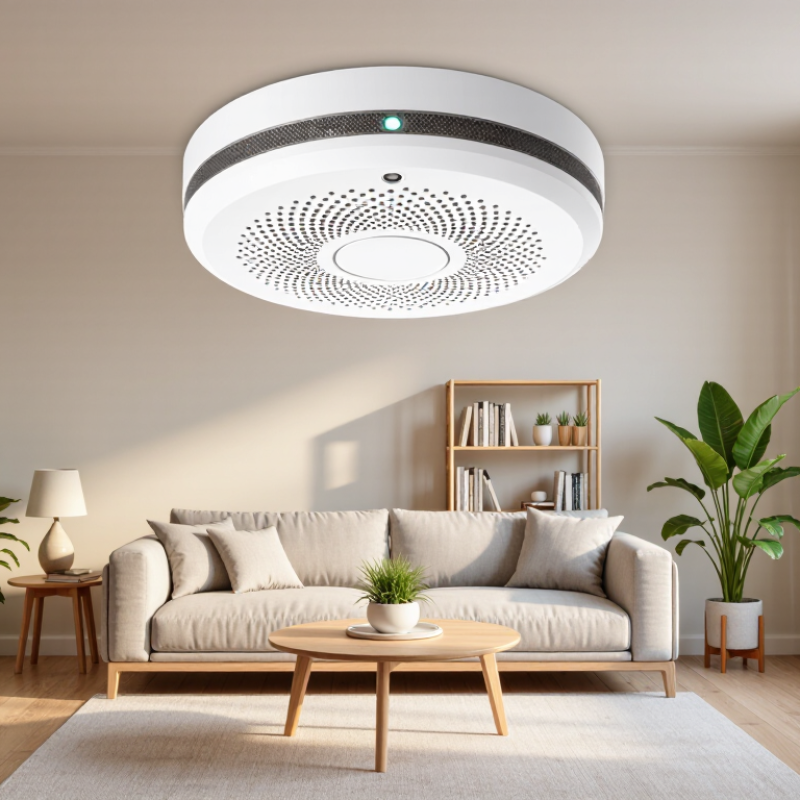
A WiFi carbon monoxide detector combines a sensing element, alarm circuitry, and a wireless connection. Many household models use an electrochemical sensor: carbon monoxide entering the sensor produces a small electrical signal. The detector’s electronics assess that signal over time, then sound a local alarm when readings meet its alarm criteria. WiFi is the messenger. It can send an alert to a connected phone, but it does not remove carbon monoxide or replace the sounder. The U.S. Centers for Disease Control and Prevention reports that more than 400 people die from unintentional carbon monoxide poisoning in the United States each year, underscoring why an audible warning matters even when a phone is nearby.
After setup, the detector joins a home network and sends status or alarm messages through an internet-connected service. A router outage, weak signal, or changed password may interrupt remote alerts. I find that detail easy to overlook. The sensor may still alarm locally, but a notification cannot be assumed to arrive. Check the device’s test function, battery condition, placement instructions, and network status regularly. A test button usually checks alarm electronics; it may not verify sensor accuracy. The CDC also reports more than 100,000 U.S. emergency department visits annually for unintentional carbon monoxide exposure. Remote alerts add useful awareness, especially when occupants are away, but they are only one layer of detection.
Key Features That Distinguish Leading WiFi Detectors
Leading WiFi carbon monoxide detectors combine a certified local alarm with useful remote alerts. The alarm should sound even when the router or internet connection fails. That matters. The CDC reports that unintentional carbon monoxide poisoning causes over 400 deaths and more than 100,000 emergency department visits in the United States each year. A connected alert can help reach someone away from home, but it cannot replace an audible alarm or prompt action.
Compare sensor type, alarm level display, event history, and battery backup. Electrochemical sensors are common; check the device’s stated sensor life and replacement guidance. App histories can show when readings rose, while peak-level memory helps explain a brief alarm after the room has cleared. Still, app screens sometimes bury the most useful details. For global buyers, verify certification for the destination market, such as UL 2034 or EN 50291, rather than assuming one approval applies everywhere. Check WiFi band compatibility, language support, and whether alerts require a subscription. Test the alarm regularly, and keep it within hearing range of sleeping areas.
Safety Standards and Certifications Across Global Markets
For global buyers, a WiFi connection is not proof that a carbon monoxide alarm meets local safety requirements. Check the exact model against the destination market’s applicable standard: UL 2034 is used in the United States, while EN 50291-1:2018 covers domestic CO alarms in Europe. Look for independent testing and a certification mark tied to that model, not just a supplier’s general claim. Requirements can vary by country and product type. That distinction is easy to miss.
The stakes are real. The US Centers for Disease Control and Prevention reports that more than 400 people die each year from unintentional, non-fire-related CO poisoning, with over 100,000 emergency visits. Certification should therefore be checked alongside practical details: alarm thresholds, audible output, backup power, and instructions in a language residents understand. For WiFi models, confirm that alerts still sound locally if the router or internet connection fails. Test the device after installation, too. A phone notification is useful, but it cannot replace an audible alarm beside a sleeping person. I would also verify the certification database directly; packaging and online listings can be confusing, and a small mismatch in model numbers matters.
Comparing Connectivity, Power, and Alarm Options
For global buyers, a WiFi carbon monoxide detector is useful only when its connection suits the home. Check router compatibility and app availability in your region before buying. Remote alerts can reach a phone when occupants are away, but internet outages may interrupt them. The local alarm still matters.
Compare power options carefully. Battery-powered models can continue operating during a power cut, but batteries need regular checks. Mains-powered units may include battery backup; confirm its expected duration in the product instructions. Check for distinct low-battery and fault signals, too. A loud alarm may be hard to hear through a closed bedroom door.
Tips: Test the detector as directed, and follow the maker’s placement guidance. Check that everyone at home can recognize the alarm. One detail buyers can overlook is whether app notifications need extra setup; it is worth checking before relying on them.
How to Choose a Detector for Your Home and Region
A WiFi carbon monoxide detector should suit both your home and your region. Check that its safety certification is recognized where you live; requirements can differ between countries. Confirm its power source works with local outlets, or choose a battery-powered model. Small details matter. A detector that cannot connect to your home network may still sound an alarm, but remote alerts could fail. Check which WiFi bands it supports, whether its app works in your country, and whether alerts arrive in a language you understand.
Placement matters as much as connectivity. Follow the detector’s instructions and local safety guidance, since recommended locations can vary by device and home layout. Keep it where household members can hear it, including at night, and avoid placing it where steam or cooking fumes may trigger nuisance alarms. Test the alarm regularly and replace the unit when its stated service life ends. I would not rely on a phone notification alone; internet outages and muted settings are easy to overlook.
Tips: Before buying, check the detector’s regional certification, network compatibility, backup power, and alert options. Test the alarm after setup. Test it monthly. Keep the manual nearby, even if you rarely read it.
| Buying consideration | What to check | Practical guidance |
|---|---|---|
| Local certification | Confirm the detector is certified or approved for the country where it will be installed. Examples of relevant standards include UL 2034 in the United States, CSA 6.19 in Canada, EN 50291-1 in Europe, and AS 3786 in Australia. | Check the product’s certification label and local requirements before buying. A device certified for one market may not meet the requirements of another. Standards and regulations can change, so verify current rules with local authorities. |
| WiFi and app compatibility | Check the required WiFi band, router security settings, supported mobile operating systems, and whether setup requires an internet connection. Many smart home devices use 2.4 GHz WiFi, but compatibility varies by model. | Confirm your router meets the detector’s specifications. Ask whether alarms and local sound alerts continue if WiFi, internet access, or the app is unavailable. |
| Alarm operation | Look for a loud built-in audible alarm, clear status indicators, a test function, and a low-battery or fault warning. Review how the device signals an alarm and an end-of-life condition. | WiFi notifications are an additional alert path, not a replacement for a locally audible alarm. Do not rely on a phone, router, or cloud service as the only way to receive a CO warning. |
| Sensor type and service life | Check the sensing technology, warranty, sensor life, and the date or method used to indicate end of life. The permitted service life varies by model. | Follow the manufacturer’s replacement schedule and replace the complete alarm when its end-of-life signal or instructions call for it. Do not assume a new battery renews an expired sensor. |
| Power source | Identify whether the unit uses replaceable batteries, sealed batteries, mains power, or a combination. For mains-powered models, verify the voltage, frequency, plug or wiring requirements, and backup provisions for your region. | Choose a power arrangement suitable for the installation location and local electrical system. Check how the alarm behaves during a power outage and how battery replacement or backup is handled. |
| Placement and coverage | Review the installation instructions and local guidance for the number and placement of alarms. Homes with multiple floors or sleeping areas may require more than one alarm. | Install alarms where required by local rules and the manufacturer, commonly near sleeping areas and on each level of a home. Avoid placing them contrary to instructions, such as too close to cooking appliances or in unsuitable humid or dusty locations. |
| Alarm response and threshold information | Read the instructions for the alarm’s response pattern and listed CO concentration/time performance. Requirements and alarm behavior are defined by the applicable standard and product design. | Do not compare detectors using a single claimed “trigger ppm” figure alone. A CO alarm’s response can depend on both concentration and exposure time; follow the alarm instructions and treat an alarm as an emergency. |
| Smart features and privacy | Check which events generate notifications, whether multiple household members can receive them, and what account, app, or data-sharing permissions are required. | Prefer clear notification controls and account recovery options. Confirm whether the detector can be tested and monitored locally if the app or online service is unavailable. |
| Interconnection | Determine whether alarms can communicate with one another and whether that feature is wired, wireless, or limited to compatible devices. | Do not assume that WiFi connectivity means alarms interconnect. Confirm compatibility across every alarm in the home and follow the manufacturer’s installation instructions. |
| Final purchase checklist | Verify regional approval, WiFi and power compatibility, audible alarm operation, sensor replacement information, installation requirements, and app support. | Keep the instructions, test the alarm as directed, and maintain working CO alarms even if a smart home hub or phone is not in use. |