
What Are the Top Power Distribution Unit Types in 2026?
In 2026, choosing a Power Distribution Unit is no longer just a matter of counting outlets. Data-center racks now carry heavier computing loads, tighter monitoring requirements, and less room for power mistakes. Christian Belady, a longtime data-center infrastructure specialist, has described the data center as “the factory of the digital age.” The PDU is one of the components that keeps that factory running.
This introduction examines the main PDU types and what distinguishes them in practice: basic, metered, monitored, switched, and intelligent models, along with single-phase, three-phase, and modular designs. Some categories describe features; others describe electrical configuration. They are not mutually exclusive. A three-phase intelligent unit, for example, can combine several of these characteristics. That distinction matters.
A basic PDU distributes power. Metered models display electrical readings, while monitored units can report conditions remotely. Switched models add outlet-level control, which can help teams restart an unresponsive server without visiting the rack. Intelligent PDUs may combine monitoring, alarms, and control in one device. Look closely at the details. A screen showing total load does not necessarily reveal which individual outlet is drawing too much power.
The right choice depends on rack density, available voltage, redundancy plans, and the organization’s monitoring tools. A compact office cabinet has different needs from a high-density AI rack with liquid-cooling equipment nearby. There is no universal winner. Vendor labels also vary, and a feature-rich model can still be poorly matched to a site’s power capacity. This guide compares the leading types, their practical strengths, and the trade-offs buyers should check before selecting a unit.
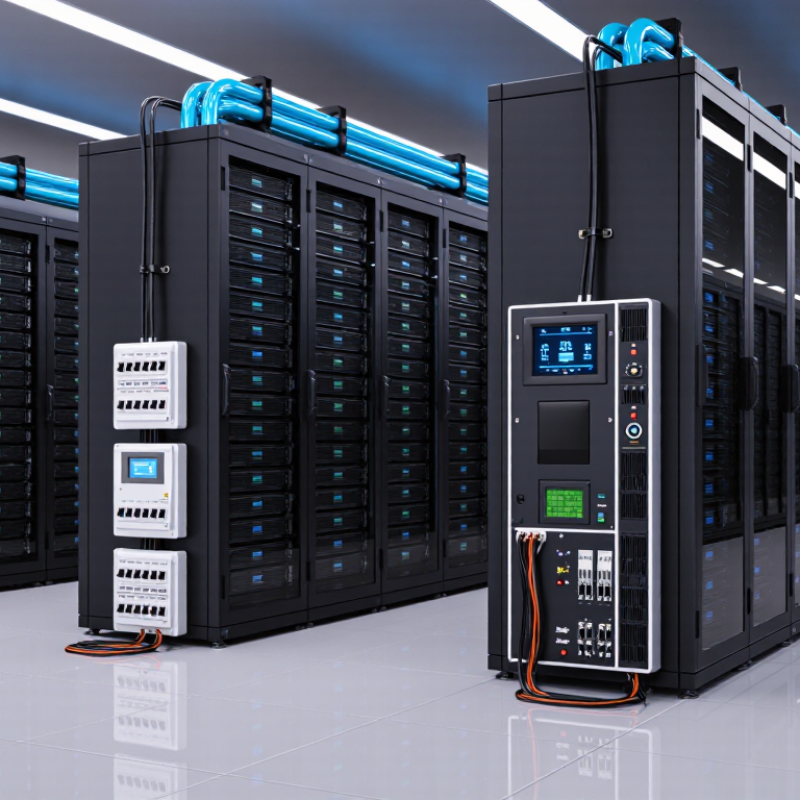
Understanding Power Distribution Units and Their Role
A power distribution unit (PDU) is the managed link between a facility’s power supply and equipment in a rack. It divides power among servers, storage, and network switches. Depending on its design, it may measure current, flag outlet status, or remotely switch individual outlets. At a glance, it can look like a metal strip with sockets. Its real value is visibility. That matters.
The International Energy Agency’s Energy and AI report estimates that data centres used about 415 TWh of electricity in 2024, roughly 1.5% of global consumption. It projects demand could reach around 945 TWh by 2030. Rack-level readings can help operators identify uneven loads, plan capacity, and investigate unusual consumption before a breaker trips. Basic units suit stable racks; metered models show power use, while monitored or switched models add alerts or remote outlet control. Choose for the operational need, not the feature list. A reading only helps when someone reviews it and responds. Even good monitoring cannot fix poor cabling or an undersized upstream circuit. That gets overlooked. Teams may install detailed telemetry, then rarely check it. The hardware is capable; the operating habit may not be.
What Are the Top Power Distribution Unit Types in 2026? — Understanding Power Distribution Units and Their Role
| PDU Type | What It Does | Metering and Visibility | Outlet Control | Common Applications |
|---|---|---|---|---|
| Basic PDU | Distributes power from one or more input connections to multiple outlets. | No built-in power metering or network monitoring. | No remote outlet switching; connected equipment is controlled separately. | Equipment racks where simple, reliable power distribution is sufficient. |
| Metered PDU | Distributes power and displays electrical measurements to help users track load. | Typically provides local readings such as current; measurement points vary by model and may be at the input or outlets. | Usually no remote outlet switching. | Racks where staff need to check electrical load locally and help avoid overloading circuits. |
| Monitored PDU | Distributes power and makes electrical measurements available through a network interface. | Can report measurements remotely; available readings and measurement points depend on the design. | Monitoring alone does not necessarily include outlet switching. | Data centers and server rooms that need centralized power visibility or environmental monitoring integration. |
| Switched PDU | Distributes power and enables remote control of individual outlets or outlet groups. | Metering and monitoring may be included, but are not inherent to the switched function. | Remote outlet on/off control; some models also provide outlet-level status. | Remote equipment recovery, power sequencing, and controlling unused outlets in managed racks. |
| Metered-and-Switched PDU | Combines electrical measurement with remote outlet control. | Provides load information; measurement granularity varies by model. | Supports remote control of individual outlets or groups. | Racks that require both power-use visibility and remote management of connected equipment. |
| Rack-Mount PDU | Describes a form factor designed to mount in or alongside an equipment rack; it may be basic, metered, monitored, or switched. | Depends on the PDU’s feature set. | Depends on the PDU’s feature set. | Server, networking, and telecommunications racks where organized outlet distribution is needed. |
| Floor-Mount PDU | A larger distribution unit installed in a data-center or facility electrical distribution path to serve downstream loads. | May include electrical measurement and monitoring, depending on configuration. | Outlet-level switching is not a defining feature; switching is handled according to the unit’s design. | Facilities requiring higher-capacity power distribution to rows, rooms, or groups of racks. |
Note: PDU terminology and feature combinations vary across the industry. “Rack-mount” and “floor-mount” describe installation form, while “basic,” “metered,” “monitored,” and “switched” describe functions; a single unit can belong to more than one category.
Related Posts
-
What is an Uninterruptible Power Supply and How Does It Work?
-

How to Choose the Right Car Inverter for Your Travel Needs
-

How to Choose the Best DC to AC Converter for Your Needs
-

How to Choose the Best Battery Backup Power Supply for Your Home and Office Needs
-
Understanding the Advantages of Choosing the Best Dc Power Supply for Your Needs
-
What Is a 12V Power Supply and How Does It Work?