What Is a Mobile Workstation?
A Mobile Workstation is a portable computer built for demanding professional work. It may look like a standard laptop. The difference becomes clear under load. Engineers may use one to review detailed CAD models, while video editors render footage beside a client. These tasks require more than a thin design and a bright screen.
Computer scientist Alan Kay once said, “The best way to predict the future is to invent it.” His observation speaks broadly to computing, not specifically to mobile workstations. Still, it captures an important idea: professional tools should help people create, test, and improve their work wherever they are. A mobile workstation brings powerful processors, professional graphics options, memory, and reliable connectivity into a device that can travel between an office, studio, or job site.
The label is not always precise. Some powerful laptops can handle demanding applications, yet lack workstation-class certifications or support. Those details matter when a workflow depends on validated drivers or predictable performance. They matter less for lighter tasks. The right choice depends on the software, workload, and time spent away from a desk. There is no single perfect configuration. Even experienced buyers can overestimate the value of top-tier specifications. A useful introduction should clarify what the category means, which features affect real work, and where trade-offs remain. Some compromises are easy to miss. A heavy charger, warm keyboard, or short battery life can change the daily experience. These practical details deserve attention alongside benchmark results.
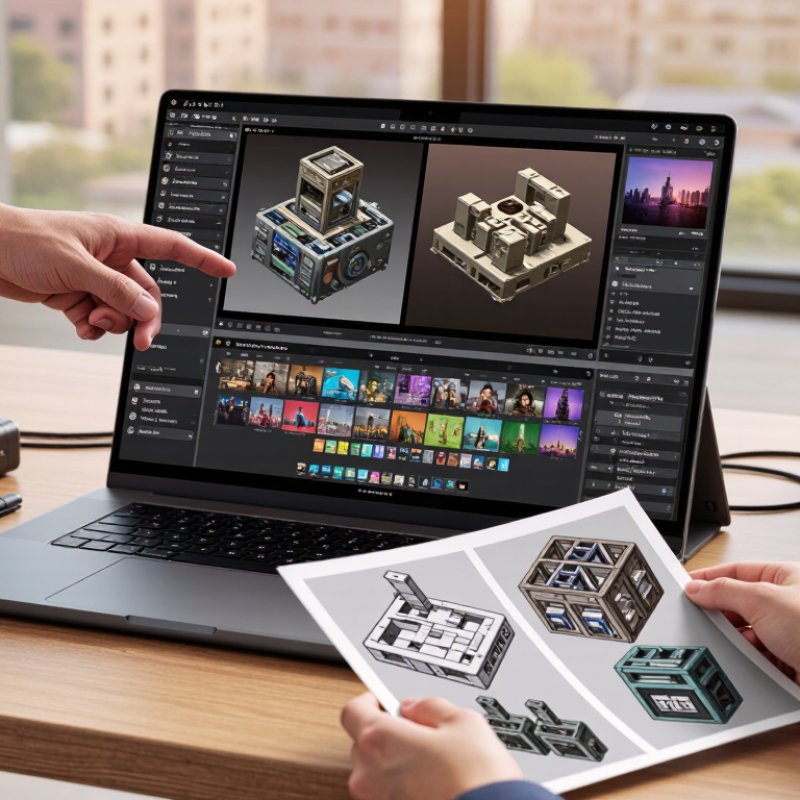
Definition and Core Purpose of a Mobile Workstation
A mobile workstation is a portable computer built for demanding professional tasks, not just everyday browsing and office work. It combines a laptop’s mobility with components designed to handle sustained workloads, such as complex 3D models, large datasets, video timelines, or engineering software. The exact configuration varies, but it may include a powerful processor, dedicated graphics, ample memory, and storage that supports large project files.
Its core purpose is to let specialists work on substantial projects away from a fixed desk. An architect could review a building model at a job site, while a video editor might check a timeline during a client meeting. Useful details include a clear display, reliable connections for external devices, and enough battery life for the actual workday.
Specs alone can mislead. A fast processor cannot compensate for too little memory when several large applications are open. Mobile workstations also tend to be heavier and may run warmer than ordinary laptops.
Portability has limits. The right choice depends on the software, workload, and places where the machine will be used; sometimes, a regular laptop is enough.
Key Hardware Components and Performance Features
A mobile workstation is a portable computer designed for demanding professional tasks, such as 3D modeling, engineering, and video editing. Its performance depends on balanced hardware, not one impressive specification. A multi-core processor handles calculations and complex applications. A dedicated graphics processor accelerates visual workloads, while enough memory keeps large files and several programs accessible.
A fast solid-state drive can shorten startup and file-loading times. A color-accurate display helps with visual review, but resolution alone does not guarantee accurate colors. Cooling also matters. Under sustained workloads, fans may become audible, and performance can dip if heat builds up. Battery life often falls during intensive work, so portability has trade-offs that are easy to underestimate.
Tips: Match the processor and graphics capability to your actual software, then check its published hardware requirements. For large projects, consider 32 GB of memory or more, depending on workload. Test the keyboard, screen, ports, and fan noise if possible. A machine can look capable on paper yet feel uncomfortable after a long editing session.
How Mobile Workstations Differ from Standard Laptops
What Is a Mobile Workstation?
How Mobile Workstations Differ from Standard Laptops
A mobile workstation is a portable computer built for demanding professional workloads. It may look like a standard laptop, but its internal components are selected for heavier tasks. Think of rendering a 3D model, editing high-resolution video, or analyzing a large engineering file. These jobs can keep a processor and graphics system busy for hours.
The biggest difference is often the graphics hardware. Workstations commonly offer dedicated professional graphics, larger memory options, and processors designed to sustain intensive workloads. Some configurations also support error-correcting memory, which can help detect and correct certain data errors. Hardware and software compatibility matter, too: professional applications may be tested with specific graphics drivers. Still, not every workstation includes every feature.
Cooling is another practical distinction. Larger vents and more robust fans can help manage heat during long rendering sessions, though they may add weight and noise. A standard laptop is often thinner and easier to carry between meetings. It can handle email, documents, video calls, and light creative work with less bulk. For a quick check, open a large project on both types; the workstation may stay responsive while exporting, but results depend on its configuration. Battery life can also fall during demanding work. That trade-off is easy to underestimate.
Common Professional Uses and Workloads
A mobile workstation is useful when professional work depends on more than basic office apps. Architects may review building models on site, rotate detailed 3D views, and mark up plans beside a client. Large assemblies can strain ordinary laptops, especially when memory is limited. A responsive model helps keep discussions moving. Small delays add up.
Video editors often work with high-resolution footage, layered effects, and color correction. A workstation with a capable processor, graphics hardware, and sufficient memory can make scrubbing through a timeline smoother. It can also shorten some rendering tasks, though results depend on the software and project settings. Check the actual workload, not just a specification sheet.
Engineers use these systems for simulation, computer-aided design, and data analysis. A mechanical engineer might test stress on a digital part before producing a physical prototype; a field technician may inspect diagnostic data away from the office. These jobs can benefit from reliable cooling and a bright, color-accurate display. Battery life still matters. Powerful components can drain it quickly, and heavy projects may run better at a desk. Portability is helpful, but it does not make every workload comfortable on the road. A few hours of real testing often reveals more than an impressive benchmark.
Factors to Consider When Choosing a Mobile Workstation
What Is a Mobile Workstation?
Factors to Consider When Choosing a Mobile Workstation
Start with the work, not the specification sheet. Three-dimensional design, large datasets, and video editing can benefit from a capable processor and dedicated graphics. For lighter tasks, extra graphics power may add cost and heat without improving your daily workflow. Check the recommended requirements for your actual software, then leave room for future projects.
Memory and storage affect everyday comfort. 32 gigabytes of memory can help when several demanding applications run together, while a fast solid-state drive reduces loading delays. Display quality matters too: check resolution, brightness, and color coverage, especially if you edit images. That matters. A bright screen can still be difficult to use outdoors if reflections are strong.
Weight, battery life, cooling, and ports deserve equal attention. A machine that feels manageable in a shop may feel heavy after a full commute. Ask how long it lasts during your typical workload, not just light browsing. Check the ports. Make sure it connects to your monitors, storage, and other equipment without a pile of adapters. Cooling is easy to overlook; sustained heavy work can make fans loud or reduce performance. It is tempting to buy the most powerful configuration, but balancing speed, portability, and repair options often takes more thought than expected.