
Blog
2026 How to Choose the Best COB Fine Pitch LED Display?
Choosing a COB fine pitch LED display in 2026 is not just a pixel-pitch decision. It is a viewing-distance, room-lighting, and maintenance decision. At 0.9 mm pitch, a panel carries roughly 1,111 pixels per metre horizontally. That density can sharpen text and fine graphics, but it cannot fix poor calibration or reflections from a bright window. Small details matter.
Industry tracking from Omdia’s LED Video Display Market Tracker and TrendForce’s display-market research can help buyers understand technology and market shifts. Still, market growth does not prove that a particular product suits a control room, studio, or boardroom. Compare measured brightness, grayscale performance, refresh rate, power draw, and service access. Ask for close-up footage of moving content, not only polished product photos. Check the seams under real room lighting. Then review warranty terms and replacement-module availability.
COB packaging can offer a smoother, more integrated surface, yet installation quality and repair procedures vary by product. That deserves scrutiny. A practical selection rule is simple: “Judge the display in the room where it will work.” I cannot responsibly attribute that wording to a named expert without a verifiable source; no expert quotation was supplied. For a trustworthy 2026 comparison, request a named engineer’s published comment and independently check its source. Specs help. So does a careful on-site test.
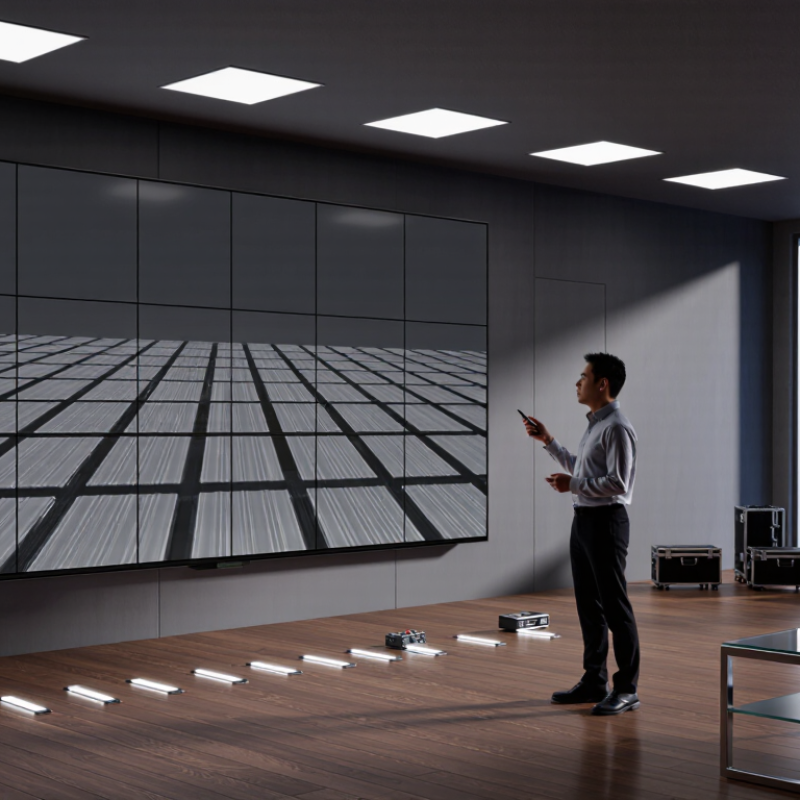
Define COB Fine-Pitch LED Displays by Pixel Pitch (P0.9–P1.5)
Pixel pitch is the center-to-center distance between neighboring pixels. In COB fine-pitch displays, P0.9 means 0.9 mm, while P1.5 means 1.5 mm. At equal screen size, P0.9 packs about 2.8 times as many pixels per square meter as P1.5, based on pitch-area calculations. That extra detail can sharpen small text and close-up imagery. MarketsandMarkets estimated the global LED display market at USD 7.1 billion in 2023, with a projected USD 10.3 billion value by 2028. Market growth alone, however, does not tell you which pitch fits your room.
Match pitch to viewing distance and content. P0.9 can suit control rooms or compact meeting spaces where viewers sit close and inspect fine details. P1.2 or P1.5 may work better for larger rooms, where viewers sit farther back and budgets must cover a bigger screen. Think closer. Check actual content at the intended distance: a spreadsheet, a face, and a fast-moving video reveal different weaknesses. A pitch-based viewing rule is convenient, but it is only a starting point; eyesight, brightness, and image processing also matter.
Tips: Bring a real source file and view it from the nearest seat. Compare text edges and skin tones, not just a demo image. Also inspect the COB surface under room lighting; reflections can distract. A smaller pitch is not automatically the better choice.
Match Pixel Pitch to Viewing Distance: The 1 mm ≈ 1 m Rule
2026 How to Choose the Best COB Fine Pitch LED Display?
Match Pixel Pitch to Viewing Distance: The 1 mm ≈ 1 m Rule
The 1 mm ≈ 1 m rule is a useful starting point: a 1 mm pixel pitch often suits viewers about one metre away. But it is not a guarantee of a seamless image. At that distance, one pixel spans roughly 3.4 arcminutes, so viewers with sharp eyesight may still notice pixel structure. Check actual seating positions, not just the room’s average distance. A control-room operator leaning toward a screen may need finer pitch than someone standing several metres back.
Content matters too. ITU-R Recommendation BT.2020 defines UHD formats up to 7,680 × 4,320 pixels. Yet a high-resolution source cannot restore detail lost when the display pitch is too coarse for close viewing. For spreadsheets, maps, or small text, test real content at the nearest seat. For bold video, a slightly larger pitch may work well. The rule is blunt. I would not trust it alone.
Tips: Measure the closest viewing distance, then compare it with the proposed pitch. View a sample panel from that spot, showing fine text and moving images. Check brightness and reflections under the room’s actual lighting. If the image feels tiring, reconsider the pitch; the first estimate can be wrong.
COB Fine-Pitch LED: Pixel Pitch vs. Suggested Viewing Distance
A practical rule of thumb: 1 mm of pixel pitch corresponds to approximately 1 m of viewing distance.
The distances shown are approximate guidelines calculated from the 1 mm ≈ 1 m rule, not fixed minimums. The best viewing distance also depends on content, resolution, and individual visual acuity.
Compare Resolution, Brightness, Contrast, and Refresh Rate (≥3,840 Hz)
For a COB fine-pitch LED display, start with pixel pitch and viewing distance. A 0.9 mm pitch can show crisp text at close range, but the room layout matters more than the catalog number. Small pixels matter. Check sample content from your actual seating position, especially thin lines and small labels.
Brightness should suit ambient light, not simply reach the highest figure. ITU-R BT.2100 describes HDR signals capable of representing luminance up to 10,000 cd/m²; that is a signal ceiling, not a recommended indoor screen setting. VESA’s DisplayHDR Compliance Test Specification evaluates peak luminance and black levels, useful measures when comparing display performance. Contrast depends on both: a bright white field means little if dark scenes look gray. Ask for measured values and test conditions. They are often missing.
Tips: Request refresh-rate evidence at ≥3,840 Hz, then test with the cameras used at your venue. High refresh can reduce visible scan lines, but shutter settings still matter. Compare grayscale motion and low-brightness scenes, not just vivid demo clips. Do not guess. A spec sheet may look perfect, yet real footage can reveal uneven dark tones. Check it in person.
Check Enclosure Protection Using IEC 60529 IP Ratings
When choosing a fine-pitch COB LED display, check the IP code for the complete enclosure, not just the front surface. IEC 60529:1989+A1:1999+A2:2013 defines how enclosures are classified against solids and water. The first digit covers solid-object protection: IP5X means dust-protected, while IP6X means dust-tight. The second digit describes water exposure. IPX4 covers splashing; IPX5 and IPX6 indicate water-jet tests; IPX7 applies to temporary immersion under specified conditions. These ratings describe controlled tests, not every installation scenario.
Look closely at seams, module joints, cable glands, and service-panel seals. A front-facing IP rating may not protect rear electronics from dust or moisture. That detail is easy to miss. Also, IPX7 does not automatically confirm resistance to water jets; confirm the exact tested rating when both risks matter. Ask for the IEC 60529 test documentation, including the tested enclosure configuration and exposure conditions. A display assembled differently on site may not retain the same protection.
Consider the actual room: a dry control room needs different protection from a venue cleaned with spray. Even a small gap near a connector can become a weak point. IP ratings help narrow the choice, but they do not replace checking drainage, ventilation, and maintenance access. I would verify those details before specifying the screen.
Assess Product Safety Against IEC 62368-1 and Compare Lifecycle Costs
2026 How to Choose the Best COB Fine Pitch LED Display?
Assess Product Safety Against IEC 62368-1 and Compare Lifecycle Costs
A COB fine-pitch LED display is a long-term installation, not just a panel purchase. Review safety evidence alongside image quality. Ask suppliers for test reports identifying the exact model, configuration, and IEC 62368-1 edition assessed. Check electrical protection, enclosure temperatures, and access to service parts. Small details matter. A report is useful, but it cannot confirm that your room’s wiring and ventilation are suitable.
Look closely at installation conditions. Measure rear clearance, ambient temperature, and expected operating hours. Confirm how the display handles blocked airflow and whether technicians can safely isolate power during maintenance. Compare those details with documented product limits. Avoid treating a standards reference as proof that every configuration is covered. If documentation is unclear, request clarification before ordering.
Lifecycle cost includes more than the initial quote. Estimate energy use at typical brightness levels, spare-module availability, labor, shipping, and expected downtime. Ask how pixel repairs are performed and whether replacement modules need calibration. A cheaper display may cost more if repairs interrupt operations or require specialized tools. Not just purchase price. A spreadsheet helps, but its estimates can be wrong; revisit them using actual operating hours and service terms before committing.
| Evaluation dimension | Option A: 0.9 mm COB | Option B: 1.2 mm COB | Option C: 1.5 mm COB |
|---|---|---|---|
| Typical application | Close-view control rooms, premium meeting spaces, and detailed content | Meeting rooms, broadcast environments, and corporate displays | Larger rooms and viewing areas where audiences sit farther away |
| Approximate comfortable viewing distance | About 0.9 m and beyond | About 1.2 m and beyond | About 1.5 m and beyond |
| Pixel density | Approximately 1,235,000 pixels/m² | Approximately 694,000 pixels/m² | Approximately 444,000 pixels/m² |
| Illustrative average power input | 150 W/m² | 120 W/m² | 100 W/m² |
| IEC 62368-1 safety review | Request evidence for the complete display configuration, including power supplies, cabinets, and any external controller. | Check the same system-level evidence; confirm the report covers the supplied configuration and intended installation. | Check the same system-level evidence; a different cabinet or power configuration may require separate assessment. |
| Safety documentation to request | Applicable IEC 62368-1 test or certification documentation; electrical ratings; installation instructions; and details of protective earth, overcurrent protection, and enclosure materials. | Applicable IEC 62368-1 test or certification documentation; electrical ratings; installation instructions; and details of protective earth, overcurrent protection, and enclosure materials. | Applicable IEC 62368-1 test or certification documentation; electrical ratings; installation instructions; and details of protective earth, overcurrent protection, and enclosure materials. |
| Lifecycle cost example, per m² over 5 years | $5,048: $4,000 installed system allowance + $548 electricity + $500 maintenance allowance | $3,838: $3,000 installed system allowance + $438 electricity + $400 maintenance allowance | $3,115: $2,400 installed system allowance + $365 electricity + $350 maintenance allowance |
| Best fit when | Very close viewing and fine image detail justify the higher pixel density and budget. | You need a balance of close-view clarity, system cost, and power use. | The viewing distance supports the coarser pitch and cost control is a priority. |
| Notes: Viewing distances are rough planning guides, not guaranteed perceptual thresholds. Pixel density is calculated from square pixel pitch. Lifecycle figures are illustrative planning assumptions, not market quotations: installed system allowances are $4,000, $3,000, and $2,400 per m²; electricity is calculated at $0.20/kWh, 10 operating hours per day, and 365 days per year for five years; maintenance allowances are estimates. Figures exclude taxes, structural work, HVAC, and financing. Actual power and costs depend on content, brightness, configuration, local energy rates, and service terms. IEC 62368-1 is a safety standard for audio/video and information and communication technology equipment; confirm the applicable edition and local requirements with a qualified assessor. Documentation should match the exact equipment and installation. | |||