Blog

7 Best UPS Power Backup Systems for Home and Business

A power cut rarely arrives at a convenient moment. A router goes dark during a video call; a shop’s payment terminal freezes; an office server loses unsaved work. The right Ups Power Backup system can keep essential equipment running through a short interruption or support a controlled shutdown. It is not a substitute for a generator during a prolonged outage. Runtime depends on the connected load, battery condition, and inverter efficiency.

The need is measurable. Uptime Institute’s 2024 Annual Outage Analysis reported that 54% of surveyed operators said their most recent significant outage cost more than $100,000, while 16% reported costs above $1 million. Those figures concern data centers, not typical homes, but they show how power interruptions can become costly. Uptime Institute executive director of research Andy Lawrence has focused on outage risk and resilience; a practical takeaway from that work is that backup equipment must be considered as part of a wider readiness plan. This is a paraphrase, not a direct quotation.

This guide compares seven UPS options for home and business use, with attention to capacity, runtime, outlet types, surge protection, battery replacement, and management features. A compact unit may protect a modem and laptop. A larger system may support network hardware, point-of-sale equipment, or a workstation. Check the actual wattage, not just the advertised VA rating. And test it. A neglected battery can fail when the lights go out.
7 Best UPS Power Backup Systems for Home and Business

Define Backup Requirements by Critical Load, Runtime, and Power Quality

A useful UPS plan starts with the equipment that must stay on, not the largest unit you can afford. List each critical device: a modem, one workstation, a network switch, or a medical monitoring device. Check its rated watts, then include startup demand for equipment with motors. Add the loads together, but leave some headroom. Start small. A spare screen or printer may feel essential until an outage proves otherwise.

Runtime depends on the actual load and battery condition, not just the number printed on a product label. Decide whether you need five minutes to save files, or several hours to keep communications running. A simple load test can reveal that a setup lasts far less time than expected. Measure it. Batteries also lose capacity as they age, and temperature can affect performance. Recheck runtime periodically, especially after adding equipment.

Power quality matters as much as backup duration. Computers and network gear may need stable output and protection from voltage swings, while basic lighting can tolerate simpler support. Consider whether the UPS corrects minor voltage changes, transfers quickly during an outage, and provides an output waveform suitable for connected equipment. Read the specifications carefully; “backup” does not guarantee every device will behave well. One imperfect but useful step is testing the exact setup at home or work, during a quiet period, before relying on it.

Match UPS VA and Watt Ratings to Connected Equipment and Power Factor

Choosing a UPS by VA alone can leave equipment without enough capacity. VA measures apparent power; watts measure real power. Power factor connects them: watts divided by VA. A 1,000 VA unit with a 0.6 power-factor rating may support only 600 watts. Check both limits on the UPS and the input labels of connected devices. Small print matters.

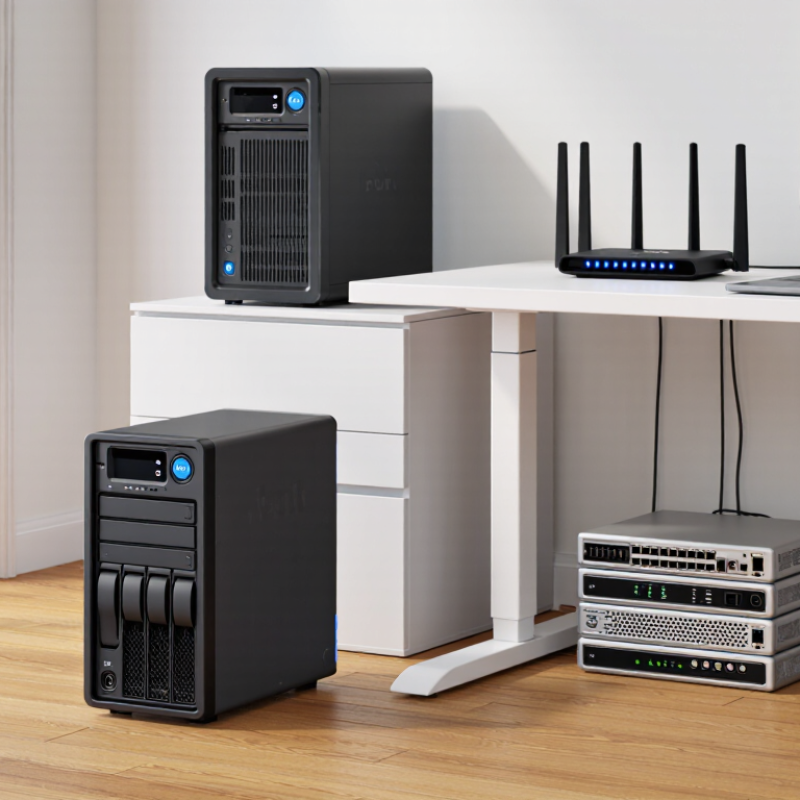
For a home office, count the computer, monitor, router, and storage drives that need backup. A plug-in watt meter can show their actual draw during normal use. Add the wattage, then compare the total with the UPS’s watt and VA limits; stay below both. Leaving about 20–30% headroom can help accommodate short demand spikes or later additions. Follow the equipment specifications when they call for more.

Also consider startup demand and battery runtime. A device may draw more power briefly when switched on, while heavier loads usually shorten backup time. Measure, don’t assume. This estimate is imperfect because computer workloads change; a quiet desktop and a busy workstation can use very different amounts. Check the UPS runtime chart at a load close to your measured total, and avoid connecting equipment whose power draw exceeds either rating.

Compare Standby, Line-Interactive, and Double-Conversion UPS Topologies

Standby, line-interactive, and double-conversion UPS systems differ in how they handle everyday power problems. A standby unit switches to battery after detecting an outage. It can suit a home router or a basic office workstation, where a brief transfer gap is acceptable. Line-interactive systems add voltage regulation, helping manage modest sags and surges without using battery power. That can matter in a small office with frequently fluctuating mains voltage.

Double-conversion systems continuously convert incoming AC power to DC, then back to AC. This isolates connected equipment from many input disturbances and avoids a transfer delay during an outage. The trade-off is greater energy use and heat, so ventilation and operating costs deserve attention. Not every business needs that level of conditioning.

The decision has real stakes. Uptime Institute’s 2024 Annual Outage Analysis reported that 54% of surveyed organizations said their most recent significant outage cost more than $100,000; 16% reported costs above $1 million. Those figures cover data-center outages, not household losses, but they show why critical loads need careful assessment.

List what must stay powered, estimate its load, and check the required runtime before choosing a topology. Battery age matters, too. A sophisticated UPS with neglected batteries may offer less protection than expected. That part is easy to overlook.

Classify Protection Using IEC 62040-3’s VFD, VI, and VFI Categories

A UPS can keep a router, point-of-sale terminal, or server running when utility power fails. IEC 62040-3 classifies UPS performance as VFD, VI, or VFI. These labels describe how equipment responds to voltage and frequency changes. They are not simple quality rankings.

VFD units generally pass utility power through and switch to battery when supply limits are exceeded. They can suit basic office devices and home networking gear. VI systems regulate voltage, often using automatic voltage correction, while relying on utility frequency. This can help where lights dim or voltage fluctuates. VFI systems convert incoming power and provide a more stable output independent of input voltage and frequency. They may fit sensitive equipment, but usually cost more and can use more energy. Check the actual specification sheet: performance varies by model and operating mode.

Tips: Match the category to the load, then check runtime at that load. A small UPS may support a router for hours but keep a desktop running only briefly. Leave room for startup demand, and verify battery replacement access. I still find runtime estimates easy to misread; test the setup before relying on it.

7 Best UPS Power Backup System Types for Home and Business — Classified Using IEC 62040-3 VFD, VI, and VFI Categories
UPS System Type IEC 62040-3 Category How It Handles Input Power Typical Transfer Behavior Best-Fit Applications Key Benefits Important Considerations
Standby (Offline) UPS VFD Normally supplies utility power to the load; the inverter provides backup power when input power moves outside acceptable limits. Usually has a short transfer to battery operation; the actual time is model-specific and should be checked in the technical data. Home computers, small office equipment, and basic network devices with moderate power-protection needs. Simple design, generally compact, and often a cost-effective option for basic backup. Does not continuously regenerate the output. Check whether transfer time and output waveform suit the connected equipment.
Line-Interactive UPS with Automatic Voltage Regulation VI Uses voltage regulation, commonly through transformer taps, to correct some undervoltage and overvoltage conditions without switching to battery; output frequency generally follows input frequency. Typically transfers to battery when input conditions exceed its correction range; timing varies by design. Home offices, workstations, point-of-sale equipment, and small business networking equipment. Can reduce unnecessary battery use during moderate voltage fluctuations while providing outage backup. Voltage regulation range and battery-transfer behavior differ between systems. Confirm the documented IEC classification.
Line-Interactive UPS with Sine-Wave Output VI Provides line-interactive voltage regulation and a sine-wave output when operating from its inverter; frequency normally remains dependent on the input. Battery operation involves a model-dependent transfer. This is not equivalent to the continuous inverter supply of a VFI system. Desktop computers, selected audio/video equipment, and small servers whose power supplies specify sine-wave compatibility. Combines voltage correction with an inverter output waveform suitable for a wider range of loads than some basic designs. Check the waveform in both normal and battery modes, along with transfer time and load compatibility.
Extended-Runtime Line-Interactive UPS VI Uses line-interactive regulation and supports longer backup operation through a design intended for additional battery capacity. Transfers to battery when required; runtime depends on battery capacity, load, battery condition, and operating temperature. Network closets, security systems, telecom equipment, and small offices that need more backup time than a compact unit provides. Can extend backup duration while retaining line-interactive voltage regulation. Confirm approved battery arrangements, charging capability, ventilation, and the expected runtime at the actual load.
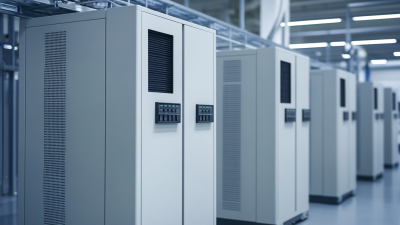
Online Double-Conversion UPS — Tower VFI Normally converts incoming AC to DC and then back to AC, so the inverter continuously supplies the load and output voltage and frequency are independent of input conditions within rated limits. Typically has no transfer interruption to inverter operation when utility input fails because the inverter is already supplying the load; bypass transitions are a separate operating condition. Business servers, sensitive instruments, and critical equipment requiring strong isolation from input disturbances. Continuous inverter operation provides consistent output and avoids a normal utility-to-battery transfer to the inverter. Consider conversion losses, heat, audible noise, maintenance bypass requirements, and the UPS’s rated load capacity.
Online Double-Conversion UPS — Rack-Mount VFI Uses double conversion to supply regulated AC power from an inverter; the output voltage and frequency are independent of input conditions within the system’s operating range. Typically remains on inverter during an input failure; any transfer to or from bypass depends on the system design and operating state. Server racks, data rooms, network infrastructure, and business equipment installed in standard rack enclosures. Combines continuous inverter protection with a form factor suited to rack-based installations. Check rack depth, weight, airflow direction, battery-module placement, and available rack power capacity.
Modular or Scalable Online Double-Conversion UPS VFI Uses parallel power modules in an online double-conversion architecture; capacity or redundancy can be configured according to the system design. Inverter operation is continuous in normal VFI operation; module-level redundancy and maintenance behavior depend on the configured system. Growing businesses, data centers, and critical facilities that need planned capacity expansion or service flexibility. Can support staged capacity growth and, when correctly configured, redundant modules or maintainability features. Redundancy is not automatic: verify the module configuration, bypass arrangement, load-sharing design, and maintenance procedures.

IEC 62040-3 categories describe how a UPS output depends on its input: VFD is voltage- and frequency-dependent, VI is voltage-independent but frequency-dependent, and VFI is voltage- and frequency-independent. The category should be confirmed from the specific UPS manufacturer’s IEC 62040-3 documentation; topology labels alone do not establish a tested classification. Transfer behavior and runtime vary by model, load, and operating conditions.

Assess VRLA Battery Health Against IEEE 1188’s 80% Capacity Benchmark

A UPS can appear healthy while its VRLA batteries quietly lose usable capacity. IEEE Std 1188 uses 80% of rated capacity as a key replacement benchmark for stationary VRLA batteries. For a 100 Ah battery, a properly conducted capacity test reading 78 Ah falls below that mark. That is a blunt threshold, not a crystal ball: sudden voltage drops, swelling, or uneven cell readings also deserve attention.

Uptime Institute’s 2024 Annual Outage Analysis reported that 54% of respondents’ most recent significant outages cost more than $100,000. The figure covers outages broadly, not battery failures alone, but it shows why backup readiness matters. Test records help reveal gradual decline before a server room, checkout counter, or home office depends on a weak battery. Follow the applicable test procedure, and compare results under consistent conditions; temperature and discharge rate can affect readings.

Tips: Log capacity, date, temperature, and individual battery readings after each test. A 82% result may technically clear the benchmark, yet a sharp drop from 95% deserves investigation. Replace batteries based on documented condition, not age alone. I would not treat one borderline test as perfect proof; retest carefully and check connections before deciding.